
Before Reportify
Certificates typed in Word, with letterhead and signature pasted by hand. No link between tests performed and amounts billed, so revenue leaks. Payments tracked in registers, and outstanding dues are hard to see.
Lab management software for India
Replace spreadsheets, Word certificates and paper ledgers. Record results, print branded certificates, raise GST invoices and track every payment in Reportify.
One-time free trial included. Built for material, water, soil and diagnostic labs.
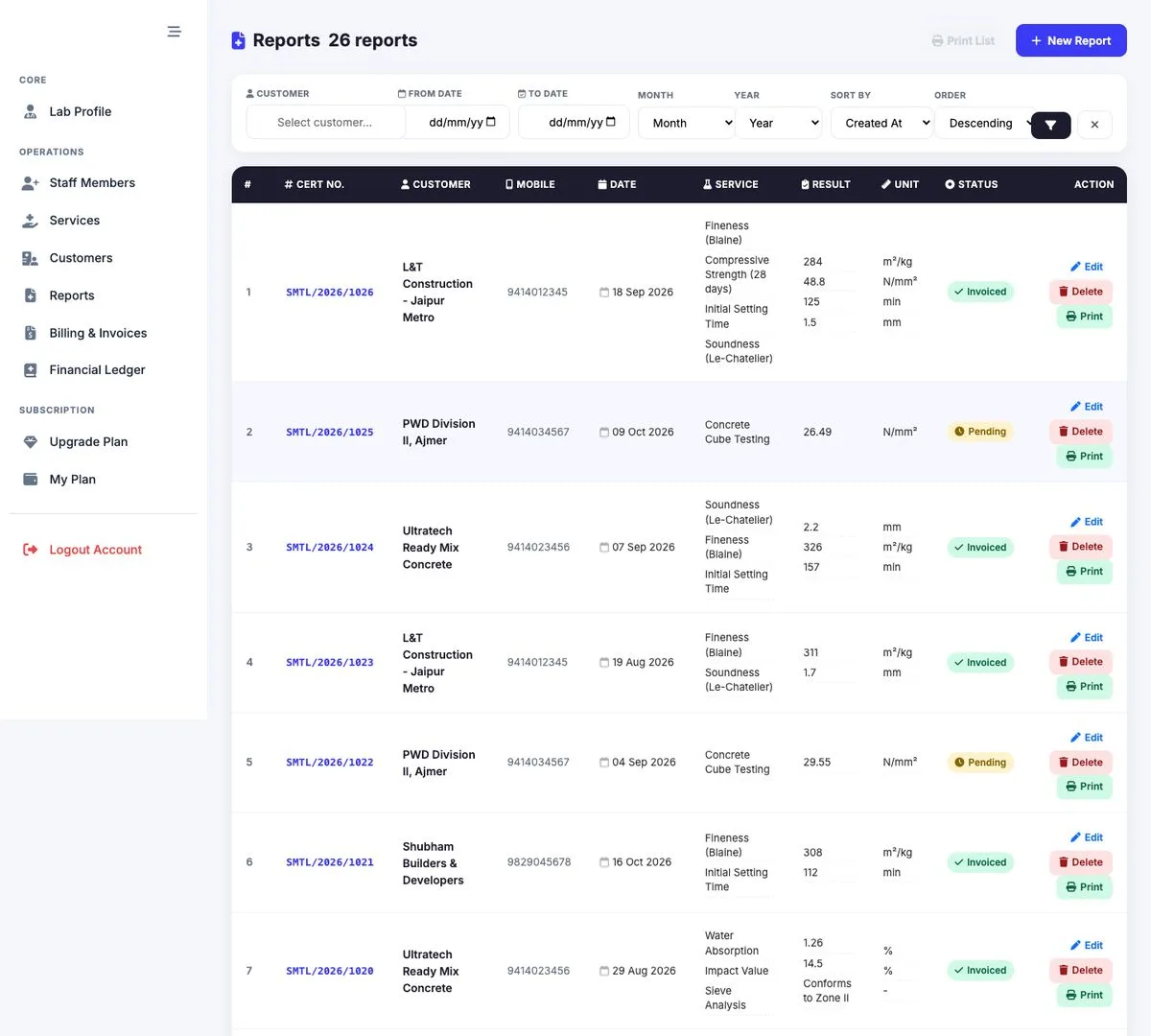
Built for testing laboratories
The problem it solves
Most labs lose time and revenue between the test bench and the bank. Reportify closes that gap.
Certificates typed in Word, with letterhead and signature pasted by hand. No link between tests performed and amounts billed, so revenue leaks. Payments tracked in registers, and outstanding dues are hard to see.
Branded, print-ready certificates generated from structured results. Invoices built automatically from un-billed reports for a date range. A ledger per invoice and per customer, with a printable statement of account.
Everything in one place
From the first sample to the last rupee collected, without switching tools.
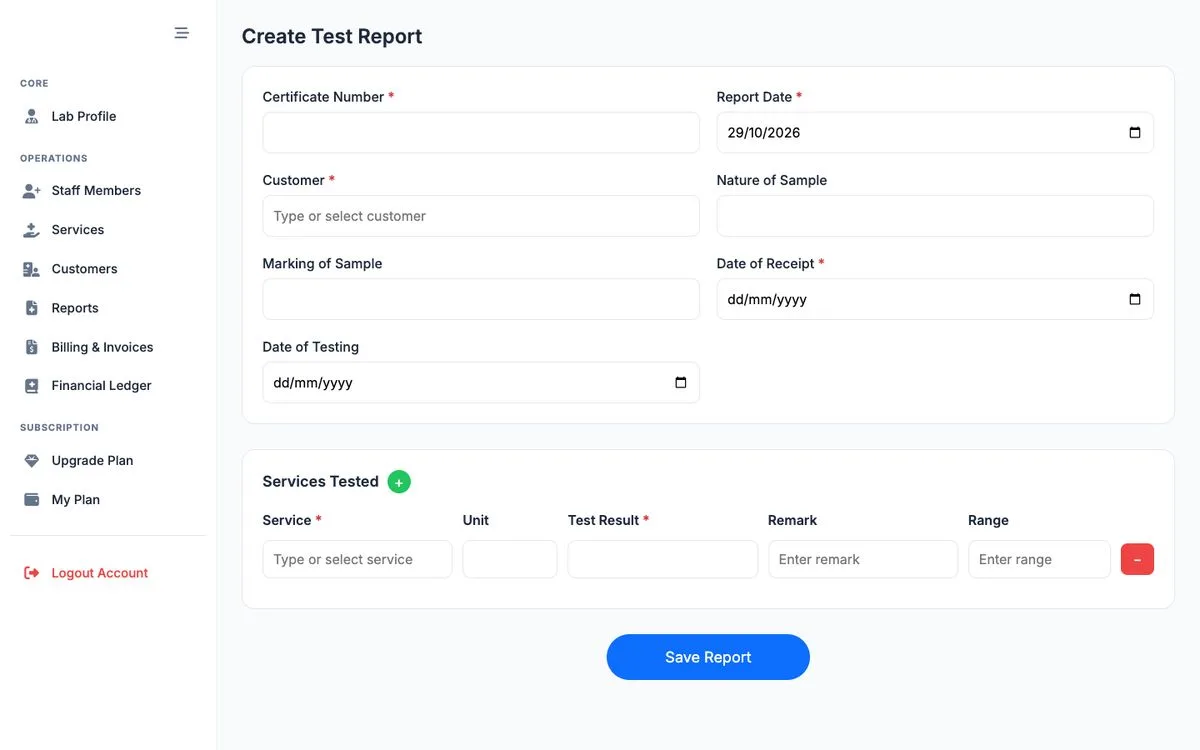
Record sample details and multiple test results per certificate. Unit, range and remark fill in from your catalogue, and every certificate number is unique per lab.
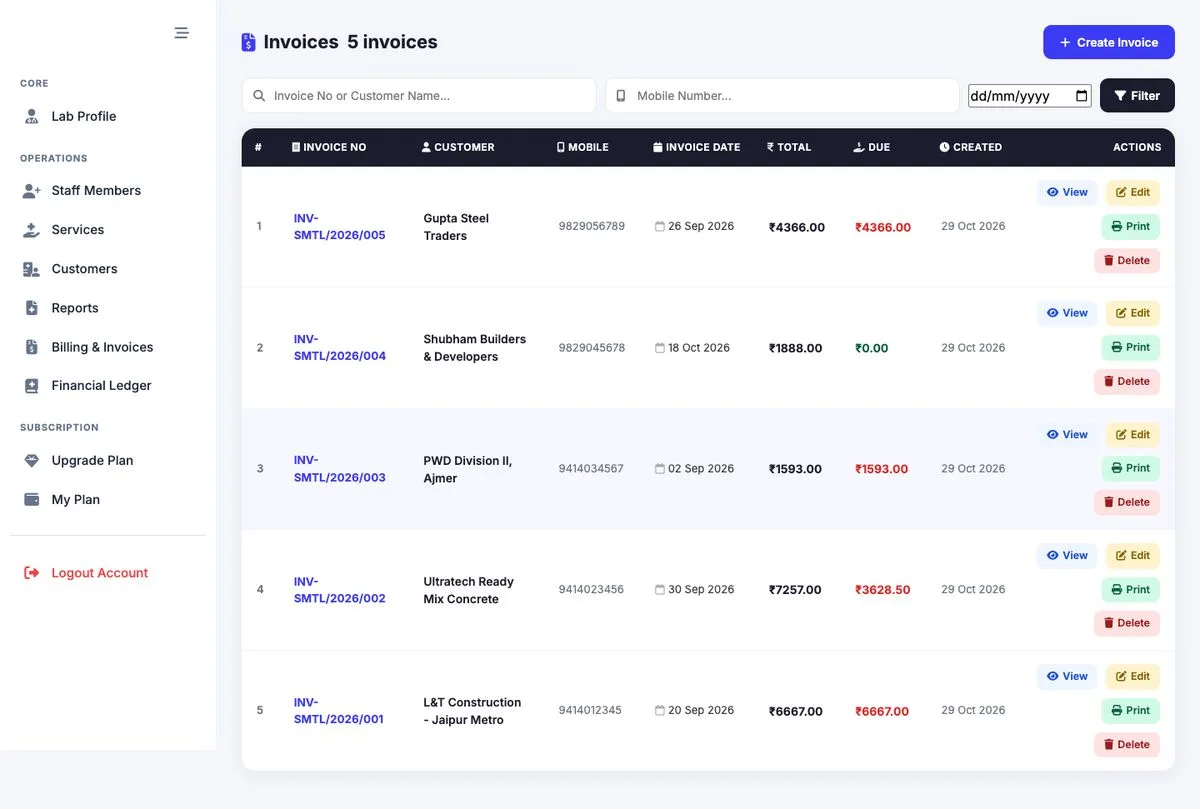
Pull un-billed tests for a customer and period, and invoice them in one click.
Tests and sub-tests with unit, acceptable range, remark and testing charge.
GSTIN, address and state for every client, with fast autocomplete search.
Payments by Cash, UPI, Cheque, NEFT/RTGS or Card, with dues tracked per invoice and customer.
Add employees to your lab. Platform staff get view or edit access per module.
Free trial, then flexible plans paid online through Razorpay.
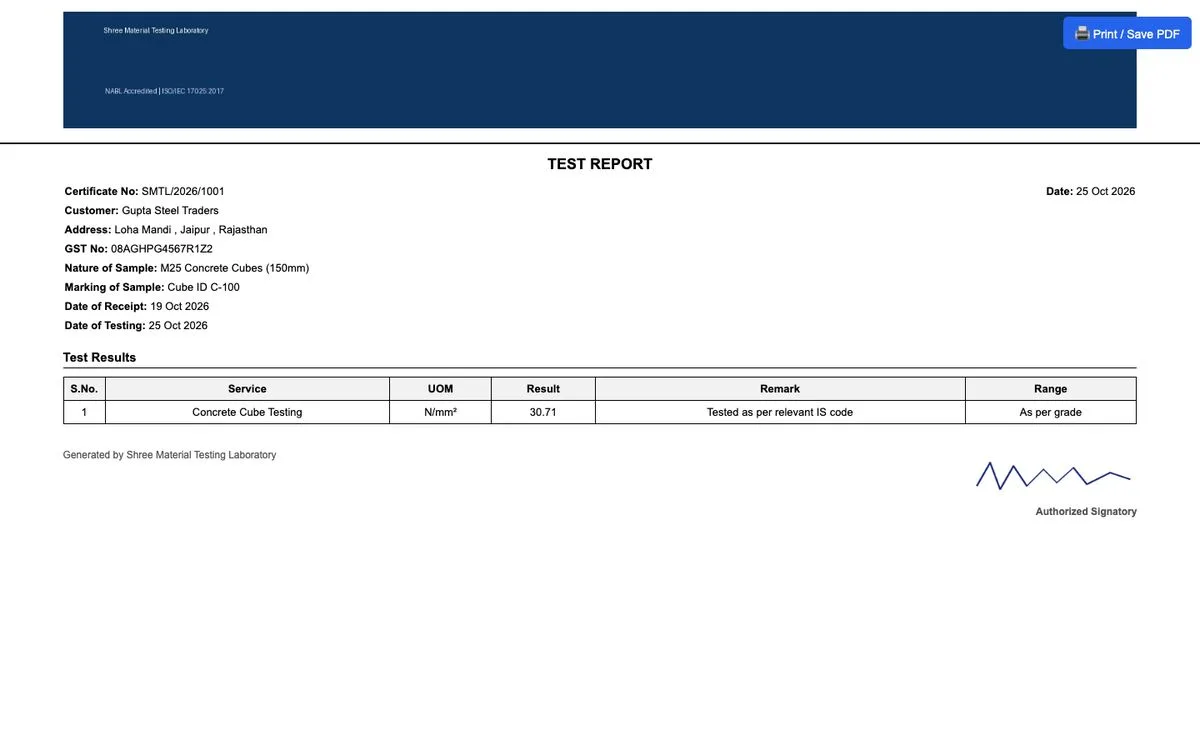
Header, footer and signature images are stamped on every certificate, invoice and statement.
Test reports
A report is a test certificate for one customer's sample. Pick a service or sub-service and its unit, range and remark auto-fill, while staying editable.
Print-ready
Certificates open as clean print pages with your letterhead, the customer and sample block, a results table and the authorised signatory signature.
GST invoicing
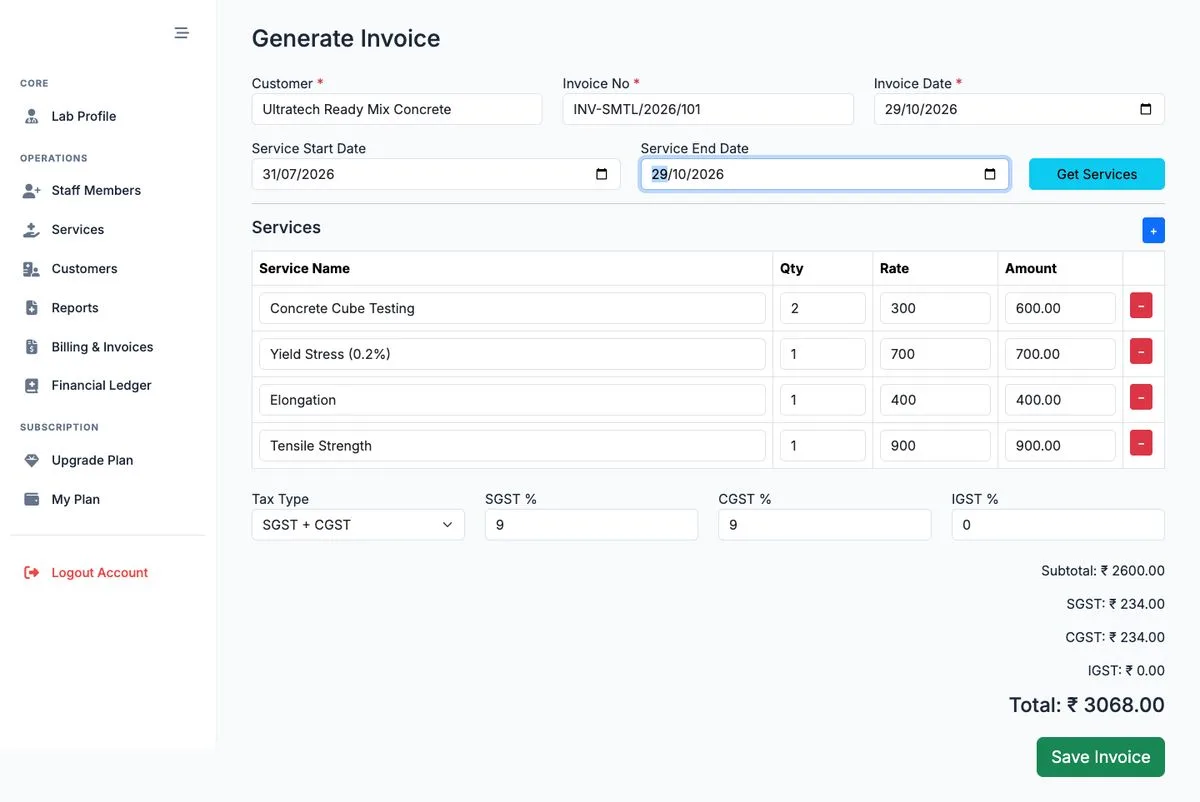
Choose a customer and service period, click Get Services, and Reportify lists every un-billed test in that window, grouped with quantity and your catalogue rate.
Financial ledger
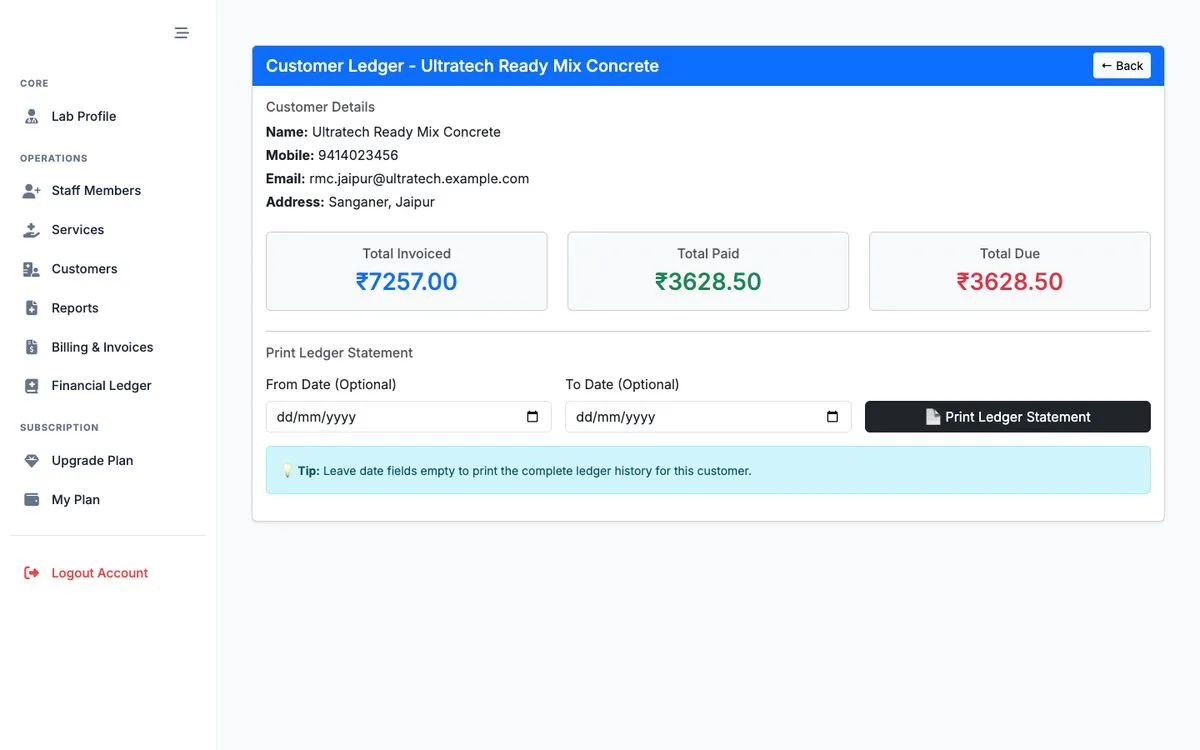
Record money received against invoices and see every customer's balance at a glance, with a running Total Received banner.
Explore the product
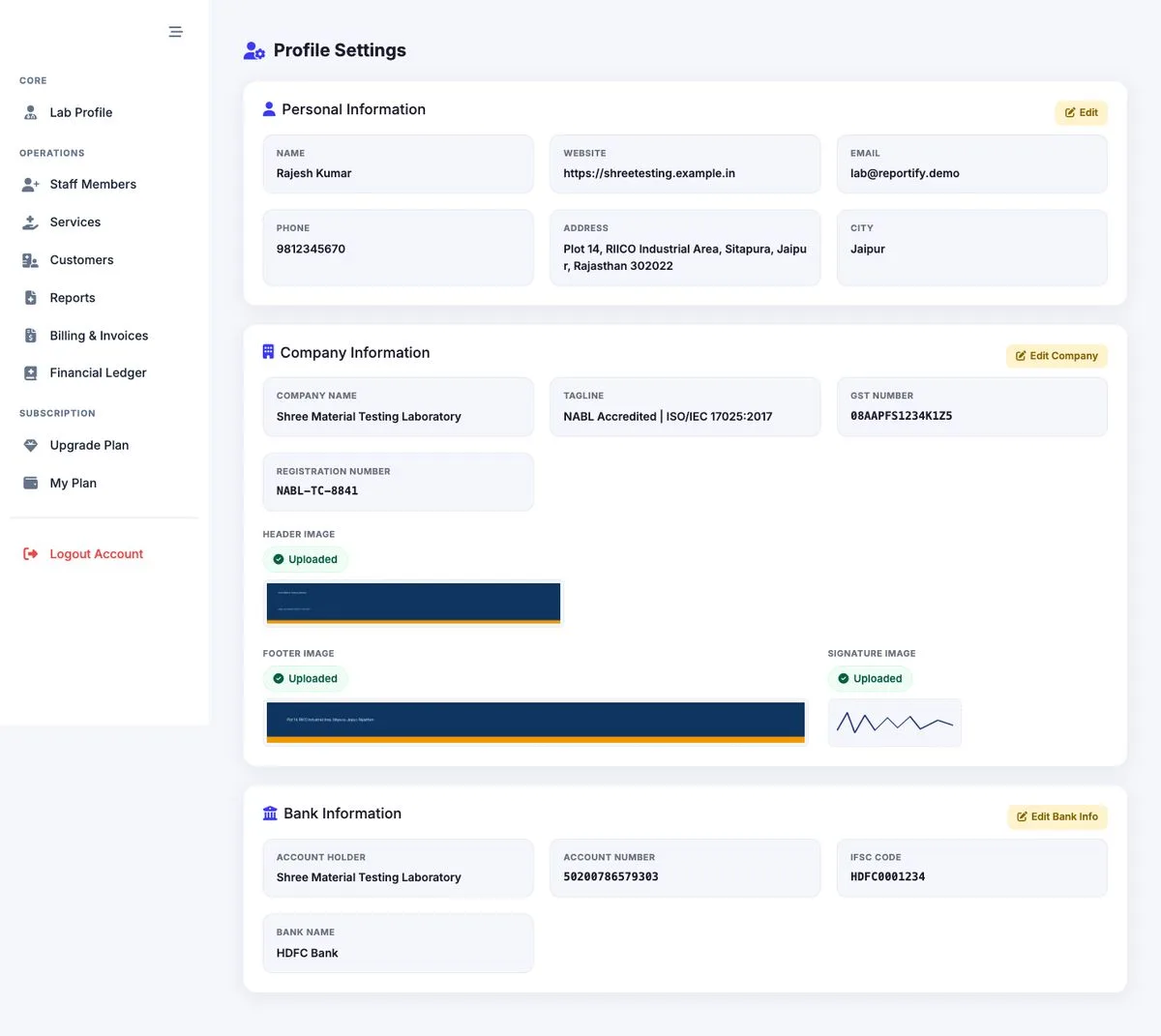
Company details with validated GSTIN, registration number, bank details, and your header, footer and signature images. GST fields on invoices switch on only when the lab has a GSTIN.
A service can be billed on its own or split into sub-services, each with its own unit, range, remark and charge. Inactive services stay in history but are hidden from new reports.

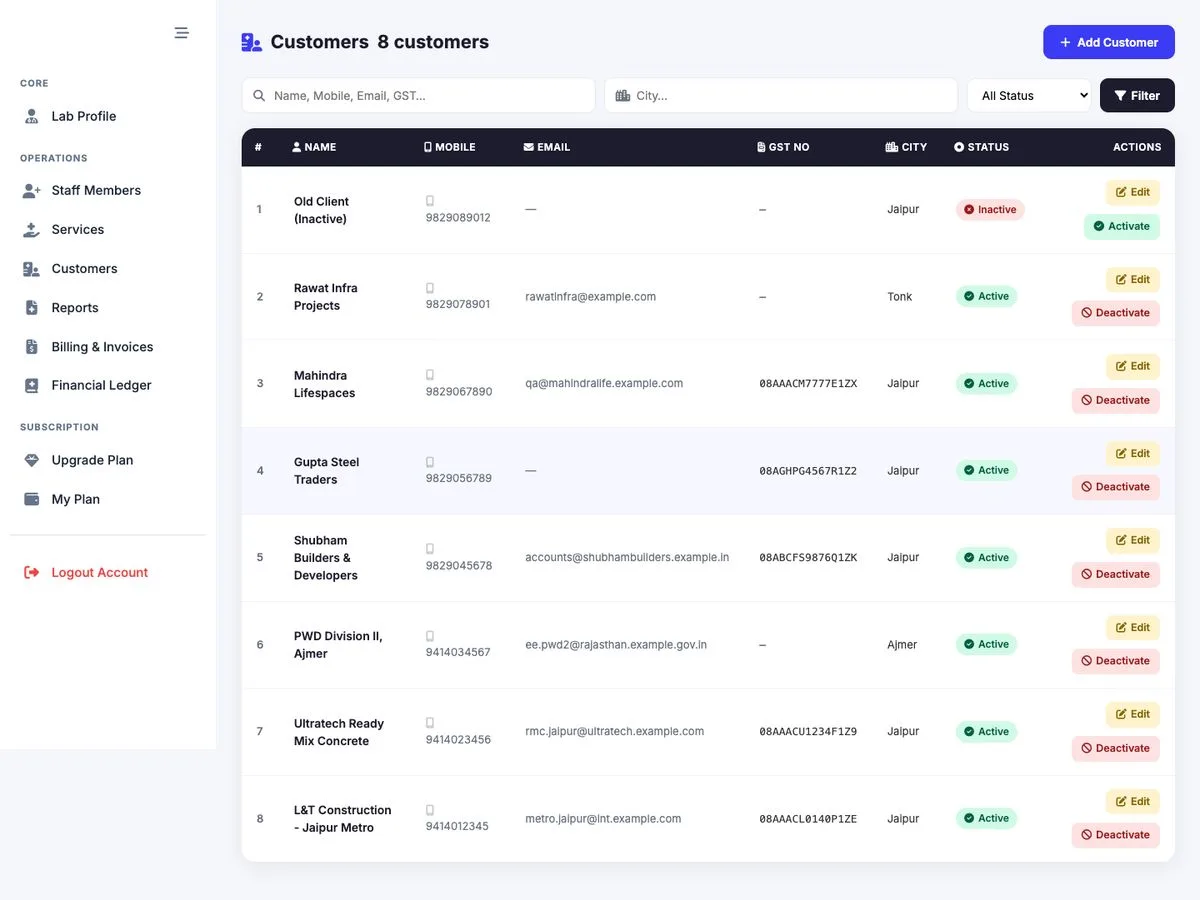
Search by name, mobile, email or GST and filter by city or status. Customer details feed the Bill To block on invoices and the header of certificates and ledgers. Deactivate instead of delete.
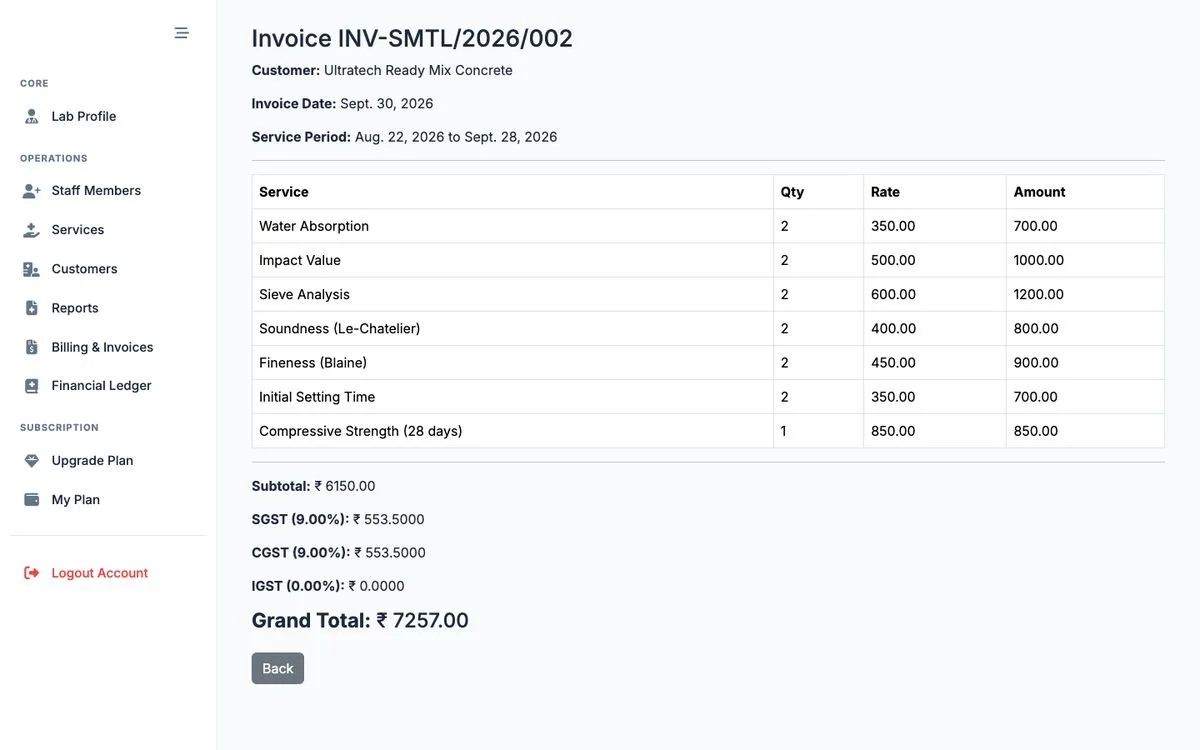
Line items with quantity, rate and amount, plus subtotal, SGST, CGST, IGST and the grand total. Money is calculated to the paisa.
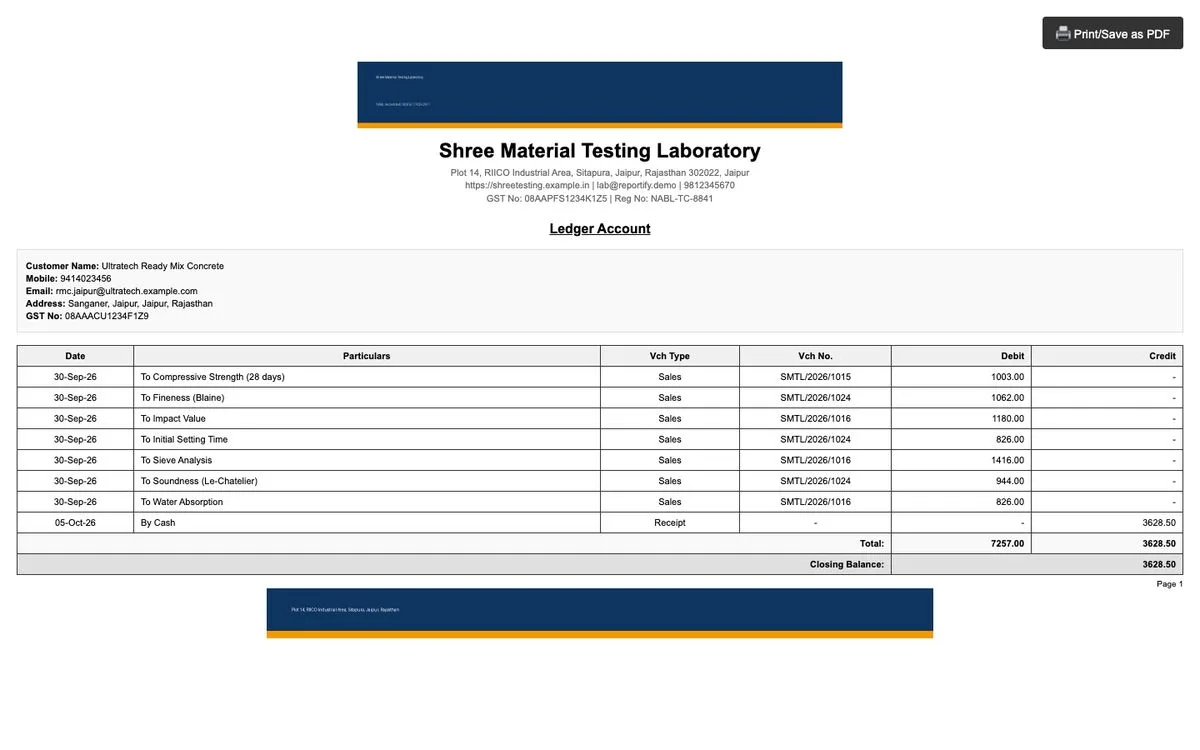
Debit and credit columns with a running balance for any date range, ready to print or save as PDF for the customer.
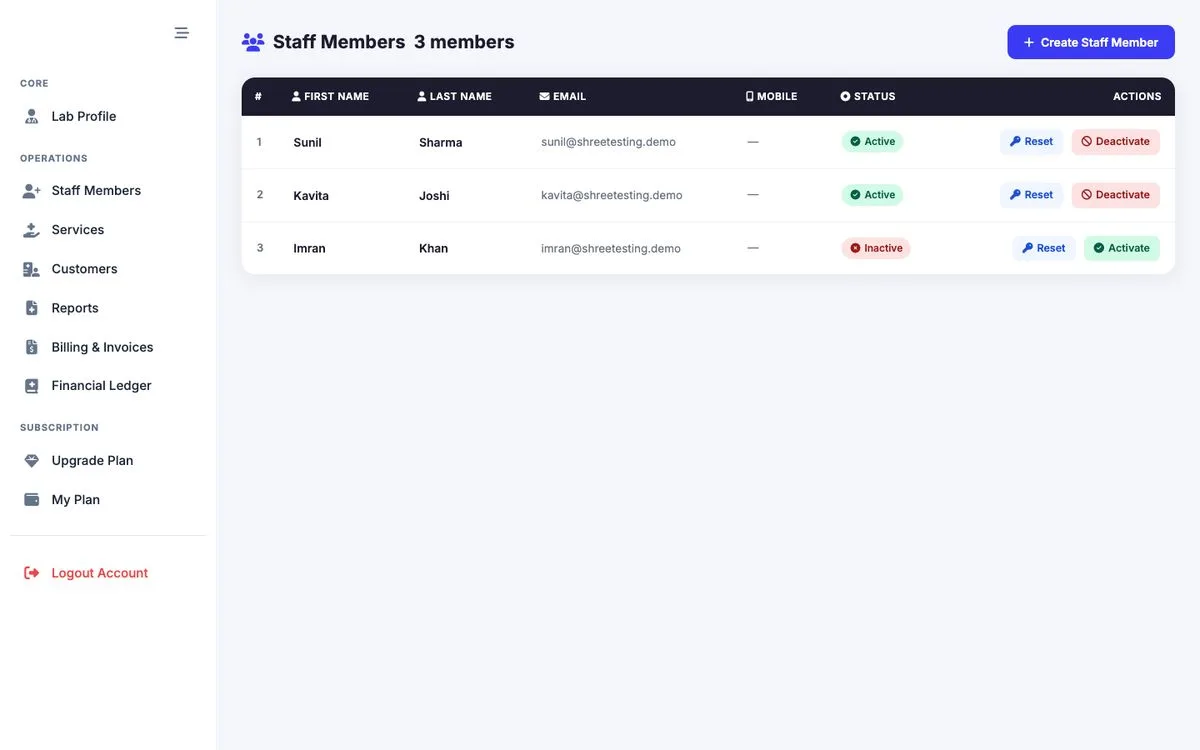
Create employee accounts with a strong-password checklist, reset passwords, and deactivate or reactivate in one click. Employees sign in to the daily operations menu of your lab.
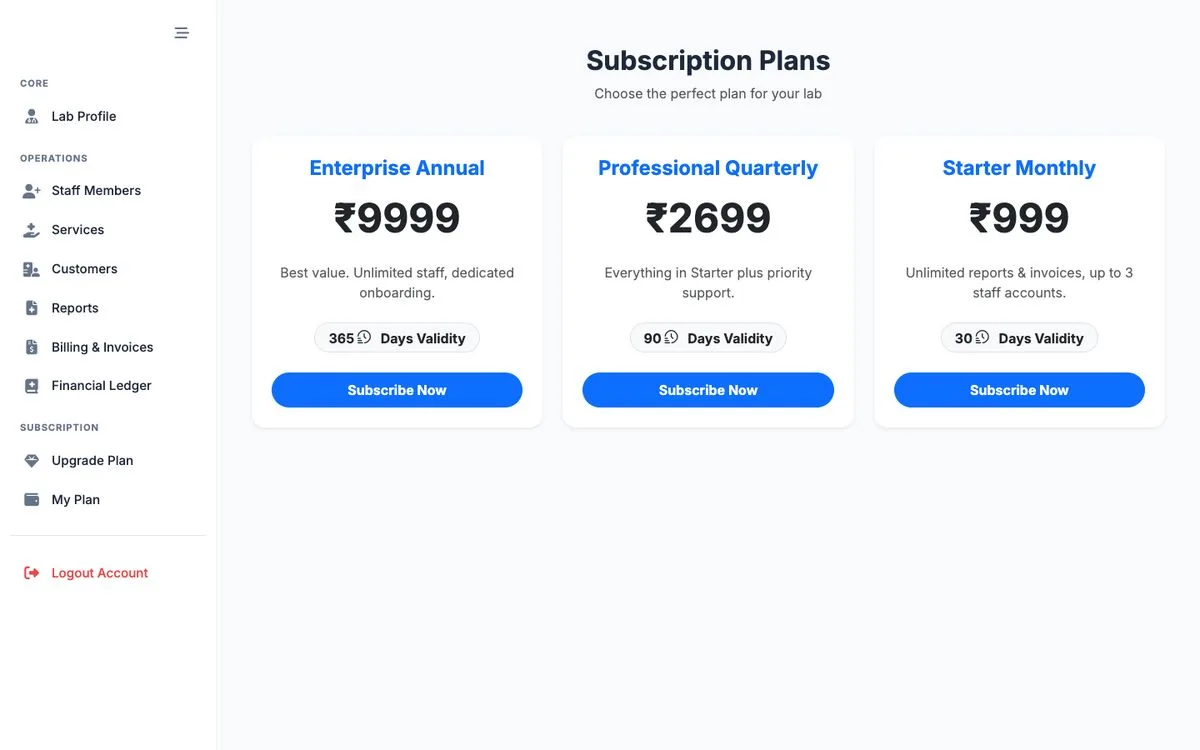
Subscriptions & payments
Every lab gets a one-time free trial. After that, choose a plan and pay online with Razorpay. Access activates automatically when the payment is confirmed.
Roles & access
Four roles keep things tidy: platform admin, platform staff, lab owner and lab employee. Each lands on the screens that matter to them.
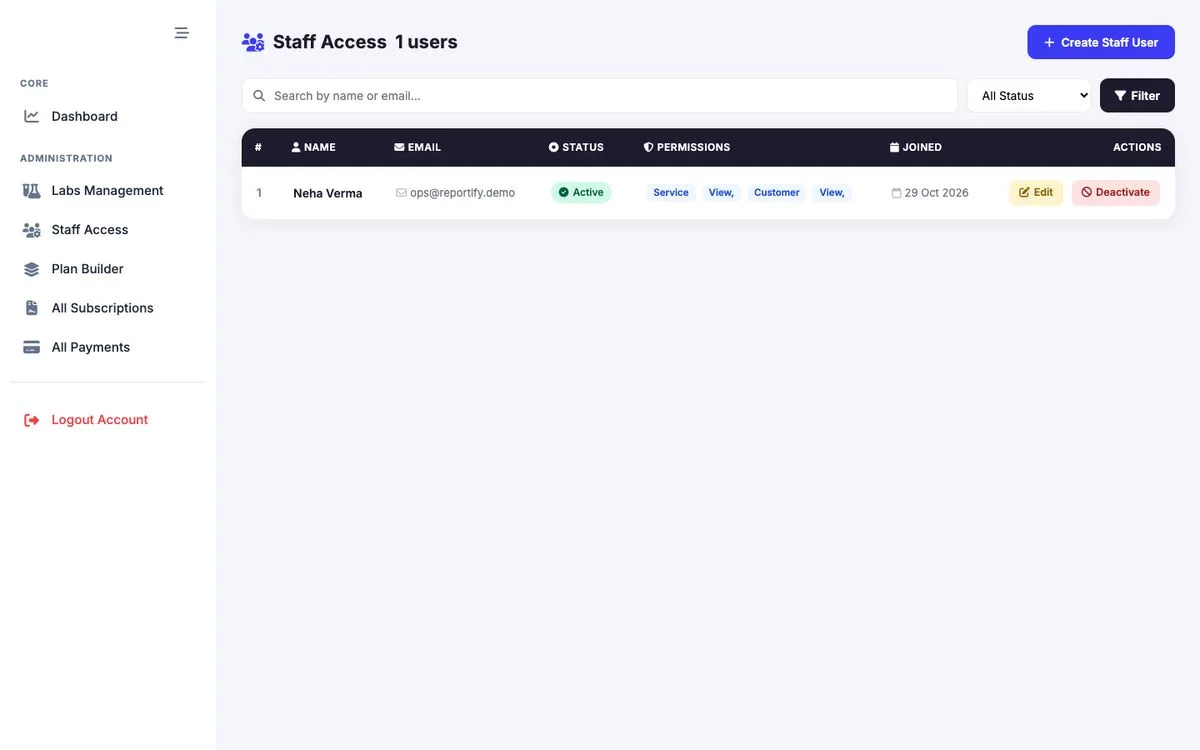
For platform owners
Onboard labs, price plans and watch revenue from a separate admin sidebar.
Jump to Labs, Staff Access, Plan Builder, Subscriptions and Payments from one dashboard.
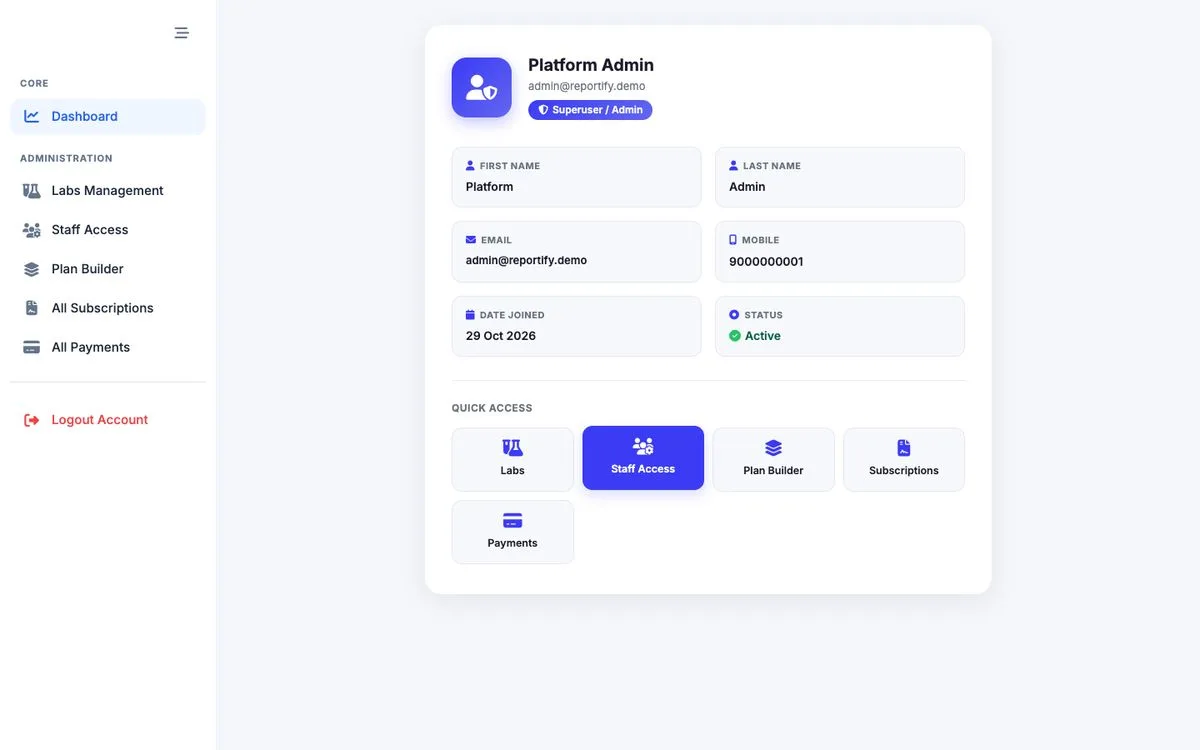
See each lab with owner, GST, registration number and status. Edit, deactivate, reset a password or onboard a new lab and its owner in one step.
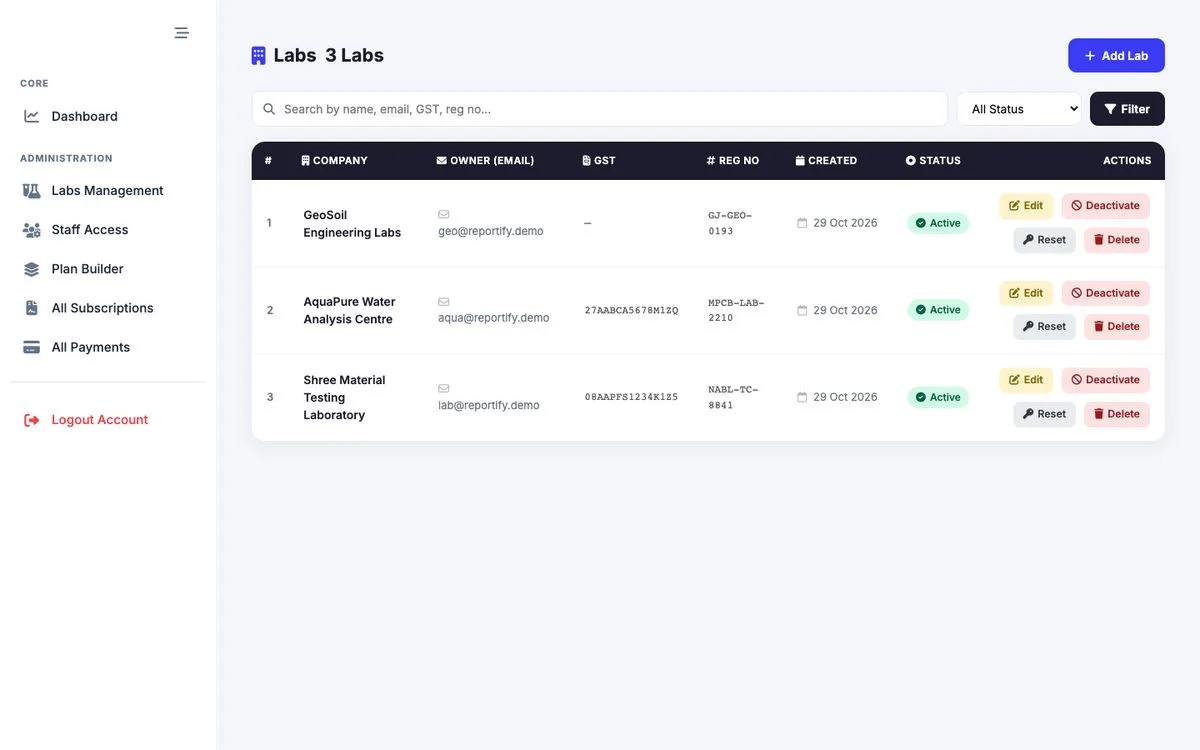
Set price, duration and status for each subscription plan, and mark one plan as the free trial.
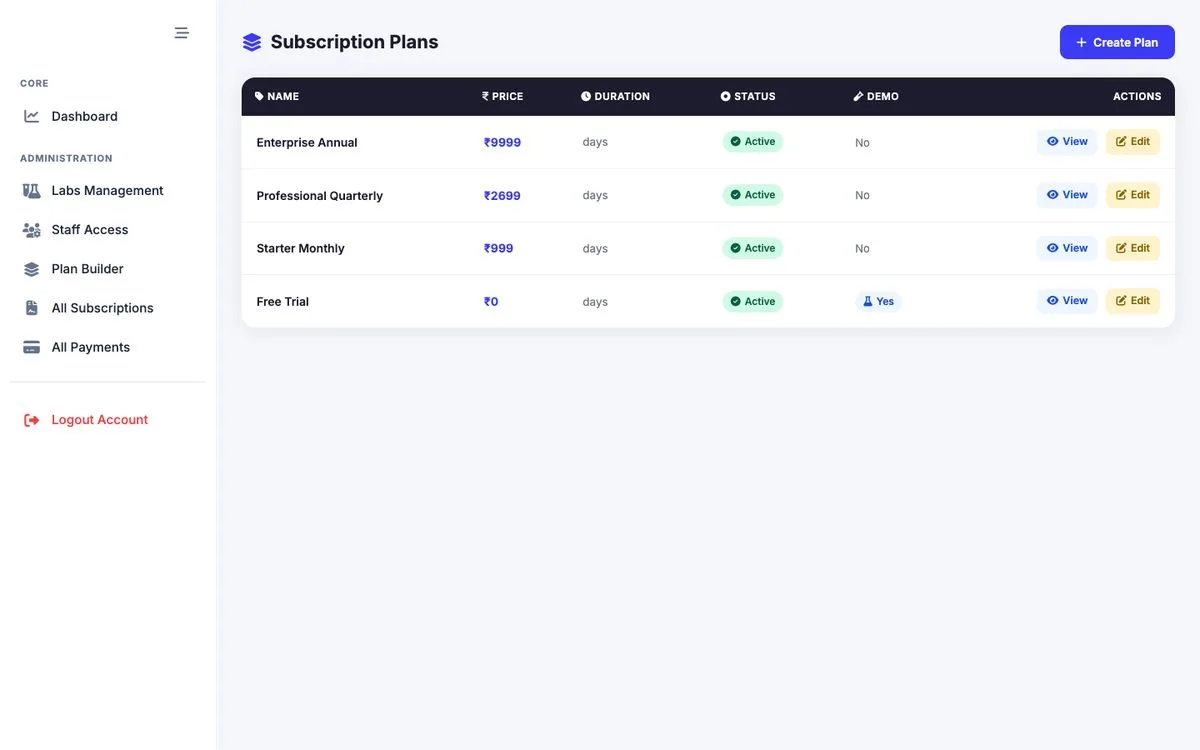
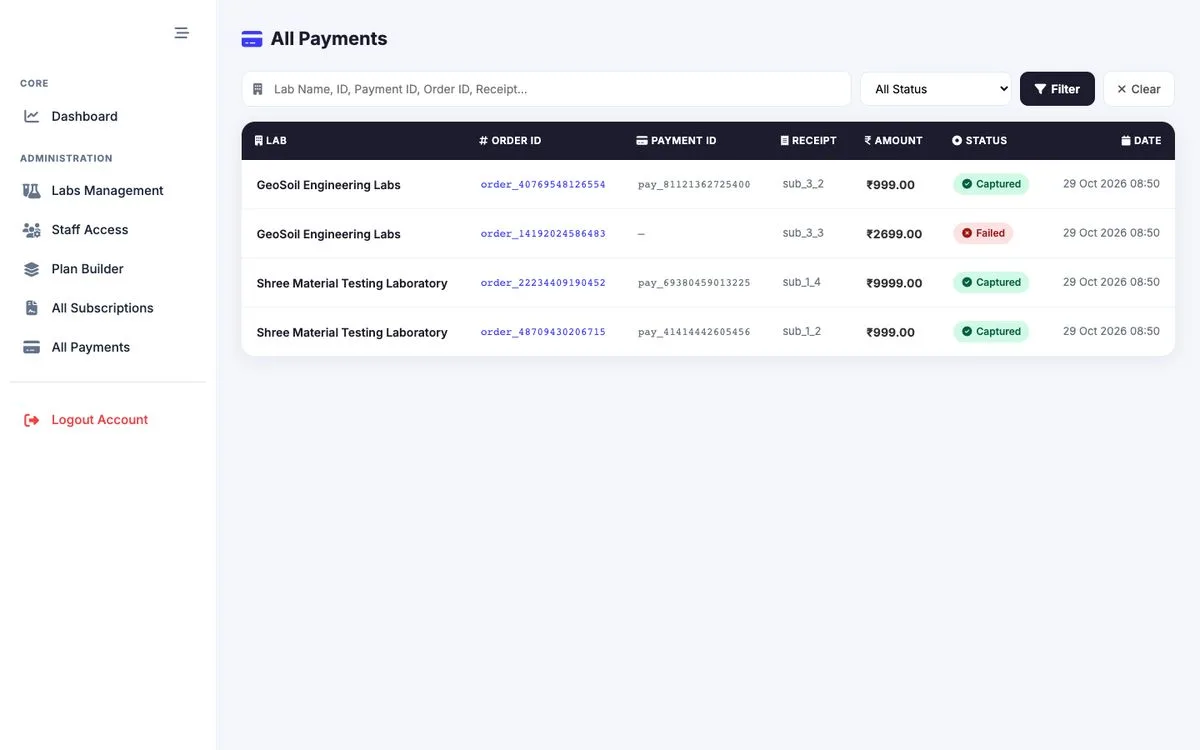
Search by lab, payment ID, order ID or receipt, and filter by status: created, captured, failed or refunded.
How it works
Register with email and mobile, then confirm with a 6-digit OTP.
Add company details, GSTIN, letterhead images, signature and bank details.
Use the one-time free trial, or pay for a plan through Razorpay.
Define tests and sub-tests with units, ranges and charges.
Store each client with GSTIN, address and state.
Enter sample details and results, then print the certificate.
Pull un-billed tests for a period and apply GST.
Log payments, track dues and print statements.
Built with care
Email-verified sign-up, OTP login and OTP password reset. Codes expire after 10 minutes with 3 attempts.
At least 8 characters with upper and lower case, a digit and a special character, and no common or numeric-only passwords.
Letterheads and signatures are stored privately and shown through signed links that expire after an hour.
FAQ
Diagnostic and material-testing laboratories in India, such as construction material, water, soil and calibration labs, that want one system for certificates, invoices and payments.
Yes. Upload your header, footer and signature once, and they appear on every certificate, invoice and ledger statement. Print or save as PDF from the browser.
On the invoice screen, only un-invoiced reports are pulled in. When you save the invoice, those reports are marked as invoiced, so they cannot be billed again.
Invoices support SGST + CGST for intra-state and IGST for inter-state supply, with totals calculated live. If your lab has no GSTIN, the tax fields are hidden.
Cash, UPI, Cheque, NEFT/RTGS, Card and Other, with transaction ID, cheque number and bank name where relevant.
Yes. Each lab gets a one-time free trial. After that you can choose a plan and pay online with Razorpay.
Yes. Lab owners add employee accounts for daily work, and can reset passwords or deactivate accounts at any time.
Request a demo and our team will walk you through it with sample lab data.
Book a short demo and see a certificate become an invoice, and an invoice become a payment.